"Git" is a tool for version control with which multiple people can contribute to a singular project
"Git Hub" is a place where you can upload your project to a centralized location so that people can contribute to it and help develop and improve your project further or fork it to make thier own branch
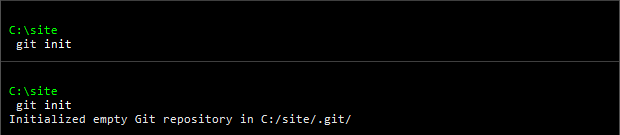
you can run the "git init" command to create a repository on your local machine
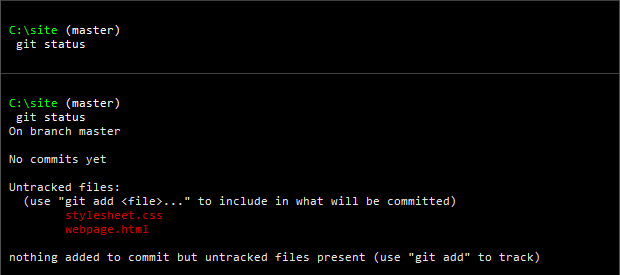
when you run the "status" command you can see all the files that are not ready to be added to the list in red
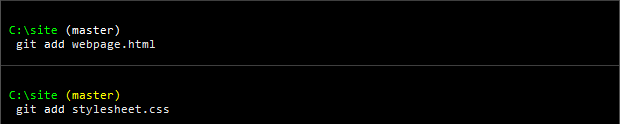
using the "add" command you can get the files ready to be added to the list
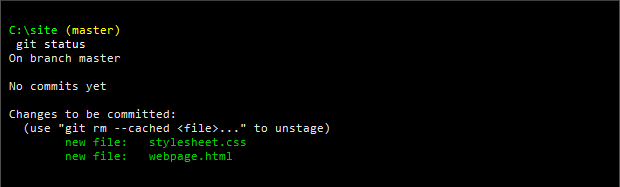
now when you run the "status" command again you can see the files in that are ready to be added to the list in green
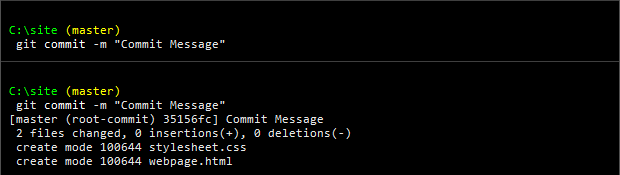
now you can run the "git commit" command to put the files in the list
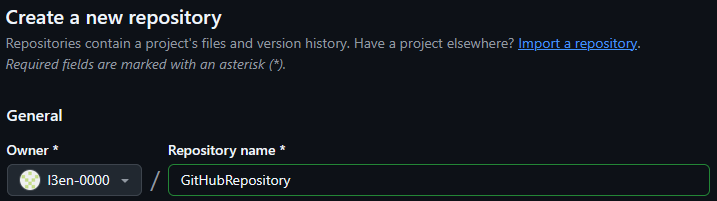
now you can create a repository on git hub to send your changes(list) to
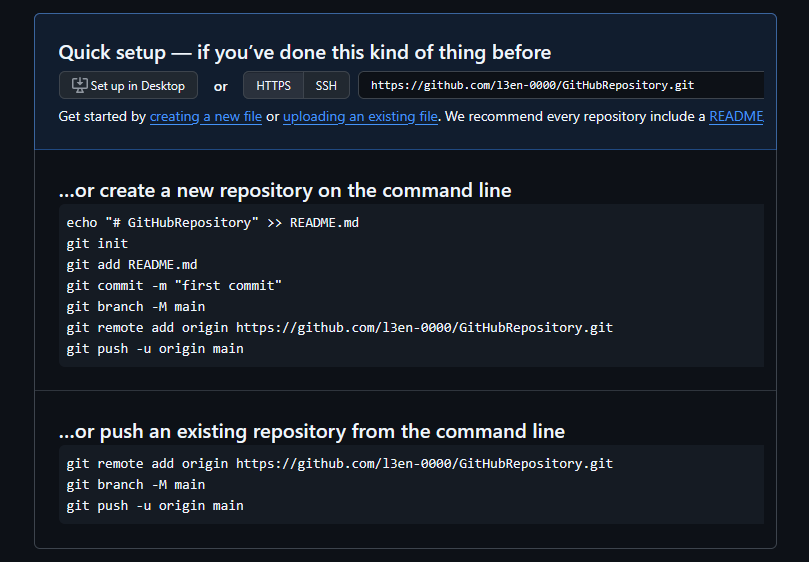
now you need to set it up so that you can send your changes(list) from your local version of the repository to the one on github

you can use the "git remote add origin" command to specify where the remote repository is that you will send your changes(list) to
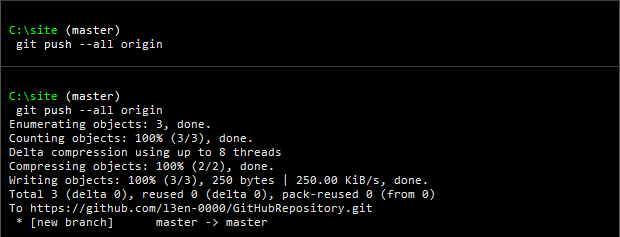
using the "push" command you can send all your changes(list) to the remote repository
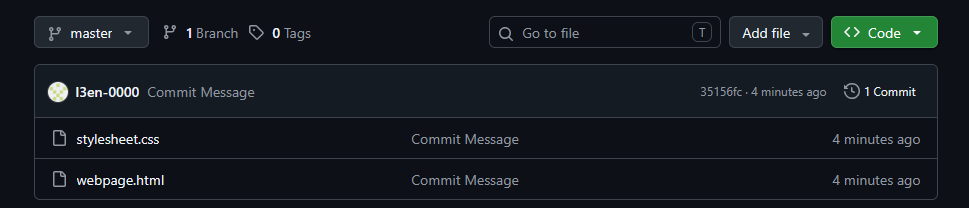
after pushing your changes(list) to the repository they should show up on the repository's github page